
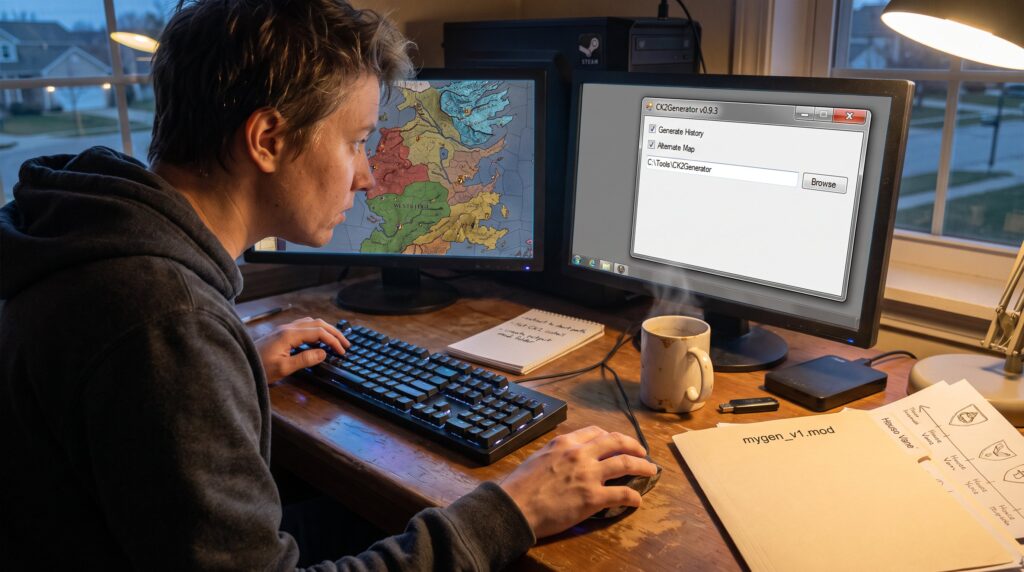
CK2Generator is a stand‑alone world, map, and history generator that creates a full, playable mod for Crusader Kings II. It simulates prehistoric migrations, invents languages, spawns dynasties, and outputs a CK2‑compatible mod so players can load entirely new alternate worlds. This guide explains what the tool does, who benefits, how it works under the hood, and practical steps to use it without breaking saves or wasting hours troubleshooting.
Table of Contents
ToggleKey Takeaways
- CK2Generator is a powerful tool that automatically creates full, playable mods for Crusader Kings II with unique worlds, cultures, and dynasties, ideal for players seeking fresh and unpredictable campaigns.
- The generator simulates prehistoric migrations, language creation, and expansive historical events to build coherent and believable alternate histories and characters.
- Players and modders benefit from CK2Generator’s ability to produce thousands of characters and dynasties quickly, saving time compared to manual modding.
- Using CK2Generator involves downloading the tool, selecting or customizing maps, configuring world settings, and exporting mods that can be enabled directly in Crusader Kings II without altering base files.
- To ensure stable use, back up saves before loading generated worlds, run the generator in simple folder paths on Windows with .NET 4.5, and be prepared for potentially lengthy generation times.
- While some instability may occur, CK2Generator provides a creative way to experience new, emergent narratives and offers extensive customization for dedicated Crusader Kings II players and storytellers.
What Is CK2Generator And Who Should Use It
CK2Generator is an independent, fan‑made tool that produces alternate histories, cultures, religions, and entire playable worlds for Crusader Kings II. It is not affiliated with Paradox Interactive. Players who enjoy unpredictability, long emergent narratives, or shattered‑world campaigns benefit most. Modders who need thousands of autogenerated characters, dynasty trees, or realistic pseudo‑linguistic names also gain time savings.
Why pick CK2Generator over manually editing files? It automates a simulation from a prehistoric migration out of Africa through centuries of wars and migrations, producing consistent relationships and believable founder characters. This makes it ideal for those who want fresh campaigns like “random world” or “shattered realm,” or for storytellers wanting novel dynastic arcs. Casual players who prefer fixed historical bookmarks may find the tool overkill, but achievement‑hunters and roleplayers often value the surprise it delivers.
How CK2Generator Works: Behind The Scenes
CK2Generator begins with a biological and demographic simulation that spreads human groups across the map. Fact: it models prehistoric migrations, then layers cultural, religious, and political systems on top. The generator uses procedural rules to form languages and name patterns for characters, provinces, gods, and religions.
The pipeline ends by exporting a fully functional CK2 mod rather than altering base game files. That means the output sits in the game’s mod folder and can be enabled like any other mod. Generation runs in stages: map selection → population seeding → migration simulation → culture/religion generation → dynasty and character creation → mod export. Each stage produces logs and intermediate files that can help diagnose failures. For deeper context on procedural generation principles in strategy games, the site’s primer on procedural systems explains tradeoffs and design choices in more technical detail: Introduction to Procedural Generation.
Key Features That Make CK2Generator Useful
CK2Generator packs features focused on total conversion and replayability. Core capabilities include random map generation, full history simulation, language creation, and bookmark/export options. Players can use vanilla maps or draw custom maps and heightmaps, then seed the generator to produce centuries of history.
Two concrete strengths stand out. First, the tool generates coherent dynasties and relationship trees across centuries, so rulers have believable ancestry and long‑term claims. Second, it produces distinct languages for place and person names, which keeps a new world feeling cohesive rather than a jumble of random strings. For practical ways to create one‑click random maps and manage map options, the site hosts a focused walkthrough that shows map setup and choices: CK2Generator.com: Create Epic Random.
Character Creation Options And Customization
Answer first: CK2Generator creates thousands of characters, complete with dynasties, traits, and relationships. Depth: the generator assigns birthdates, marriages, offspring, claims, and sometimes fabricated artifacts or holy sites. For players wanting custom characters or to seed provinces with unique rulers, related tools let users generate per‑province characters for total conversions or shattered worlds. The site’s feature piece on custom characters explains how to combine generated people with manual tweaks: Ck2generator.com: Your Ultimate.
How To Use CK2Generator: A Step‑By‑Step Walkthrough
Answer first: use CK2Generator by downloading it, configuring paths, choosing map and options, running the simulation, then enabling the generated mod in CK2.
Step 1, Download and extract: fetch the tool and extract it to a simple folder path (avoid long paths or spaces). Step 2, Set the CK2 installation path inside the app so it can detect game resources. Step 3, Choose a base or alternate map and load optional heightmaps or bookmarked starts. Step 4, Configure world options: world size, religion diversity, language complexity, and whether to allow major migrations. Step 5, Start generation and monitor the logs. Simulations will run for several minutes to hours depending on world size.
When the process finishes, CK2Generator exports a mod folder you can enable in Crusader Kings II. For an illustrated guide to installing mods and enabling outputs inside CK2, see the simple installation walkthrough: How To Install.
Practical note: save the generator output to a different folder than the CK2 game directory, this reduces accidental overwrites and keeps backups clean.
Tips, Limitations, And Safety Considerations For Players
Answer first: CK2Generator works best on Windows with .NET 4.5 and requires cautious file management to avoid corrupted saves.
Tip: keep mod and save backups before loading a generated world. Many players report the first run can fail due to path or permission issues: if that happens, simplify the path and rerun. Generation can be slow, large worlds may take hours and use noticeable CPU time.
Limitations: the tool can be unstable on some systems and might abort mid‑generation, requiring reruns. It does not change base game files but created mods can conflict with other custom mods, so isolate generated mods when testing. For practical gameplay enhancements and ways the site suggests pairing CK2Generator with in‑game strategies, see the article on enhancing CK2 gameplay with custom characters and other tools: Enhance Crusader Kings II.
Safety: always run the generator under an account with normal privileges (not SYSTEM), and keep antivirus rules permissive for trusted mod tools if the generator flags as unknown. If a run fails repeatedly, exporting logs and consulting the community or the site’s troubleshooting notes helps isolate the problem.
Conclusion
CK2Generator gives Crusader Kings II players a fast route to genuinely new worlds: fresh maps, invented cultures, and centuries of playable history. It suits emergent storytellers and modders who need scale and variety. Players should accept some instability and plan backups, but the creative payoff often outweighs the setup friction.